Summary
Web and HTTP
- HTTP: The Web’s application layer protocol.
- Client/Server Model: Client (browser) requests objects; Server sends objects.
- Client initiates TCP connection to server port 80, HTTP messages exchanged then TCP connection closed.
- Stateless: The server maintains no information about past client requests.
- Web page consists of base HTML-file which includes several referenced objects,each addressable by a URL, e.g.
http://www.siit.tu.ac.th/index.html:siit.tu.ac.this host name/index.htmlis path name of object on that server
- HTTP Connections:
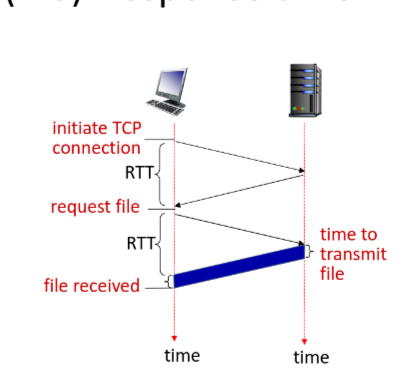
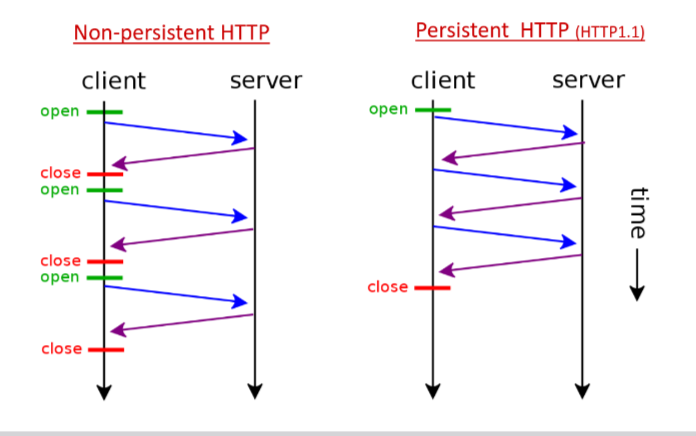
- Non-persistent HTTP (1.0): At most one object sent over a TCP connection. Connection then closed. Downloading multiple objects requires multiple connections (high overhead).
- Response Time = 2 Round-trip time (RTT) + file transmission time
- Persistent HTTP (1.1): Server leaves connection open after sending response. Multiple objects can be sent over a single TCP connection between client and server.
- Response Time = RTT + file transmission time
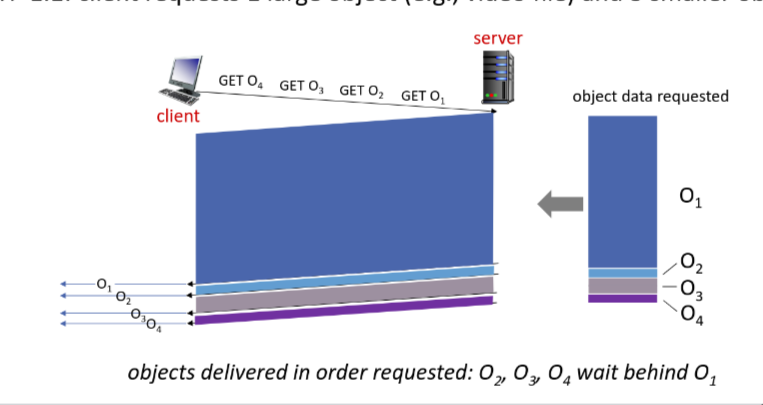
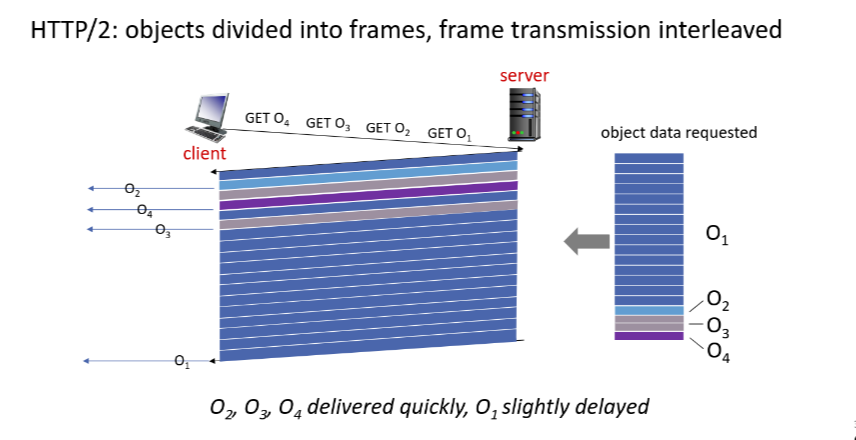
- HTTP/2: decreased delay in multi-object HTTP requests
- transmission order of requested objects based on client-specified object priority
- Divide objects into frames, schedule frames to mitigate Head-of-line blocking
- HTTP 1.1:
- HTTP 2:
- Non-persistent HTTP (1.0): At most one object sent over a TCP connection. Connection then closed. Downloading multiple objects requires multiple connections (high overhead).
- HTTP/3: adds security, per object error- and congestion-control ovre UDP
- HTTP Message Format:
- Request Message:
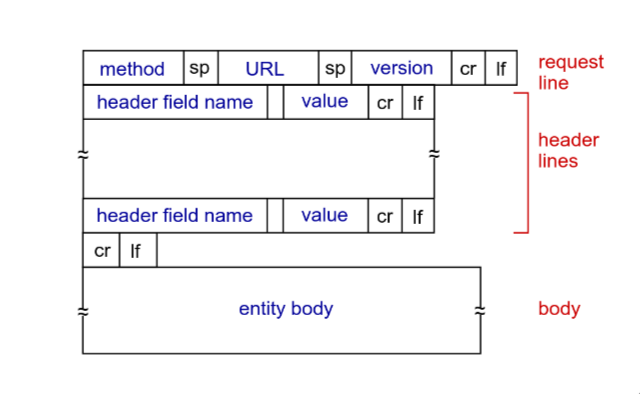
GET: get user dataPOST: form inputHEAD: get header information onlyPUT: upload file
- Response Message:
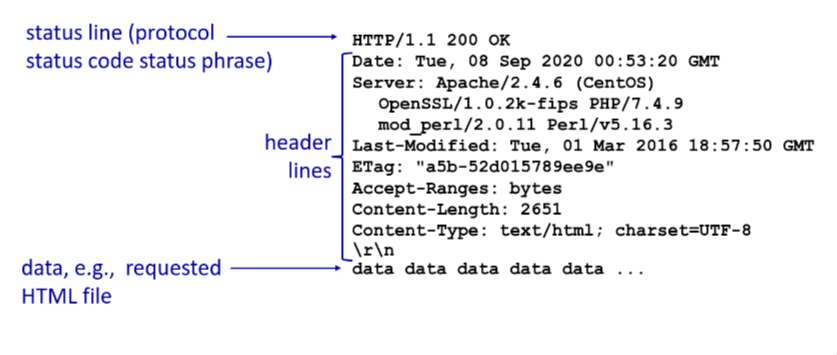
- Status codes (e.g.,
200 OK,404 Not Found,301 Moved Permanently).
- Request Message:
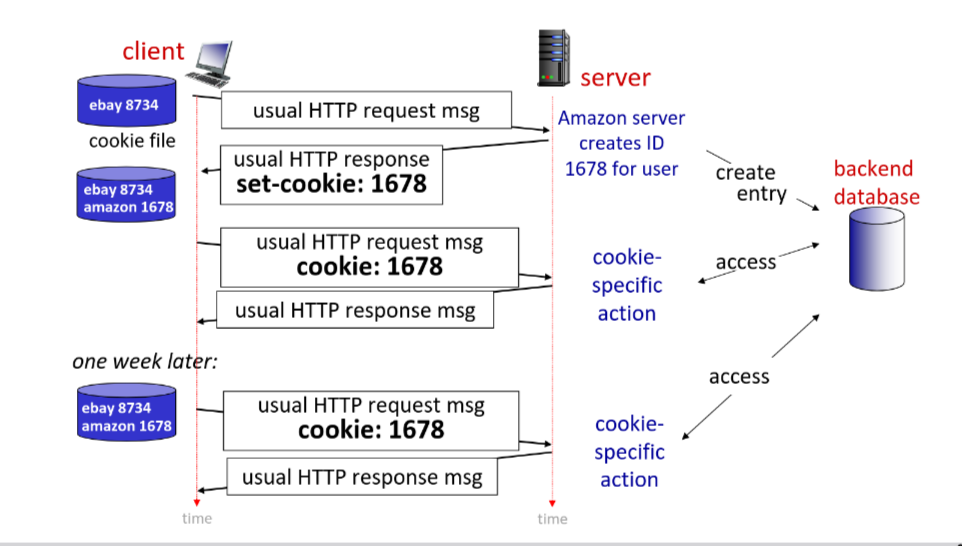
- Cookies: Used to maintain state (user history, shopping cart) on top of the stateless HTTP.
- Four components:
- Cookie Header line in response
- Cookie Header line in next request
- Cookie file kept on user’s host, managed by user’s browser
- back-end database at website.
- Privacy Concerns: Cookies can be used to track user behavior across websites, leading to privacy issues. Users can manage cookie settings in their browsers to mitigate this.
- Four components:
- Web Caches (Proxy Server):
- Satisfy client request without involving the origin server.
- User sets browser to access the Web via cache.
- Benefit: Reduces response time for client, reduces traffic on institution’s access link.