Summary
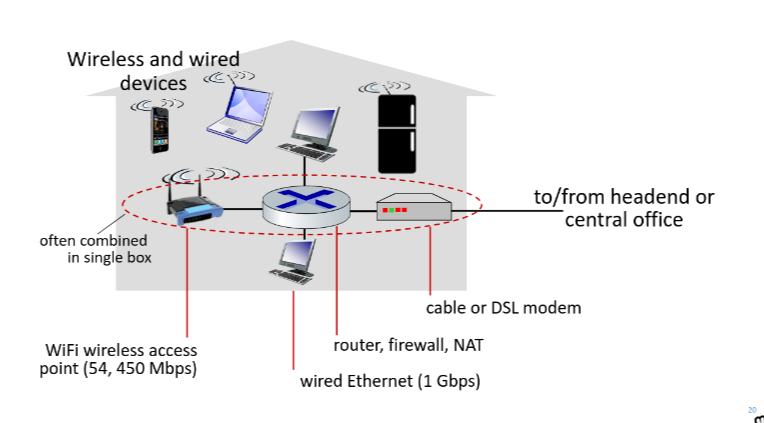
How to access Internet
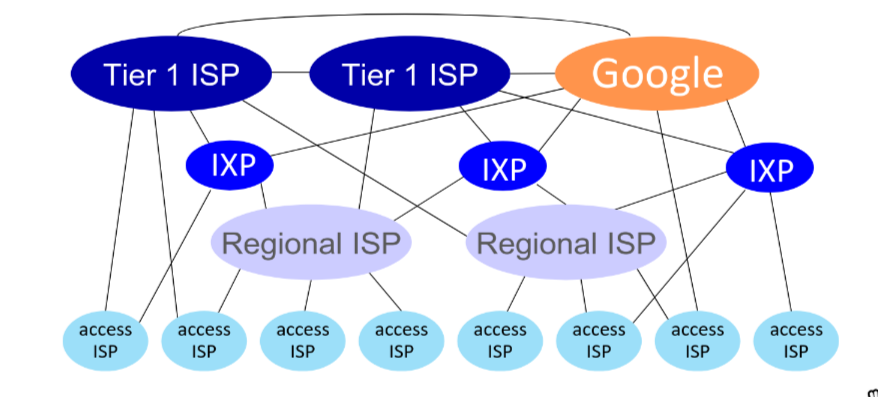
Home/Office network → Access Technology → ISP → IXP → Internet (datacenter network/google/…)
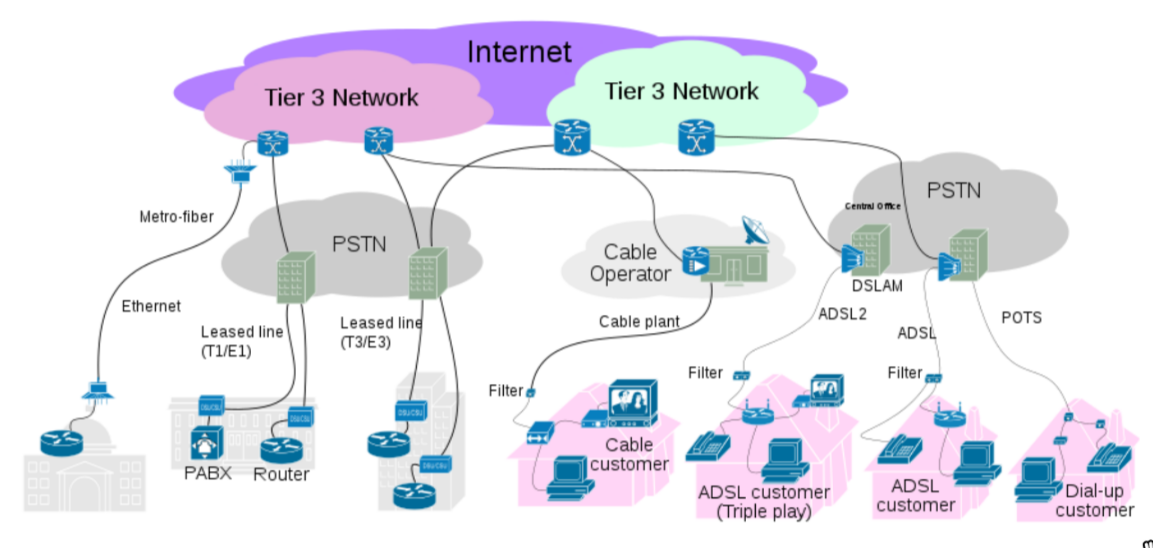
Access Technology
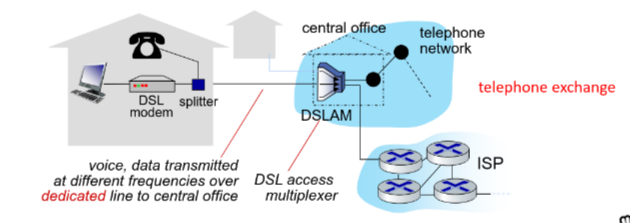
- Digital Subscriber Line (DSL):
- use existing telephone line (Data over DSL, voice over DSL)
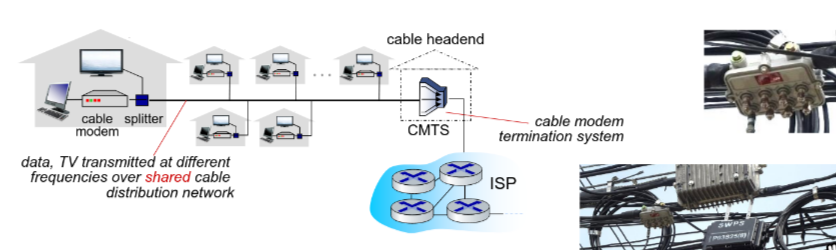
- Cable Internet
- network of cable, fiber attaches homes to ISP router
- Fiber Internet
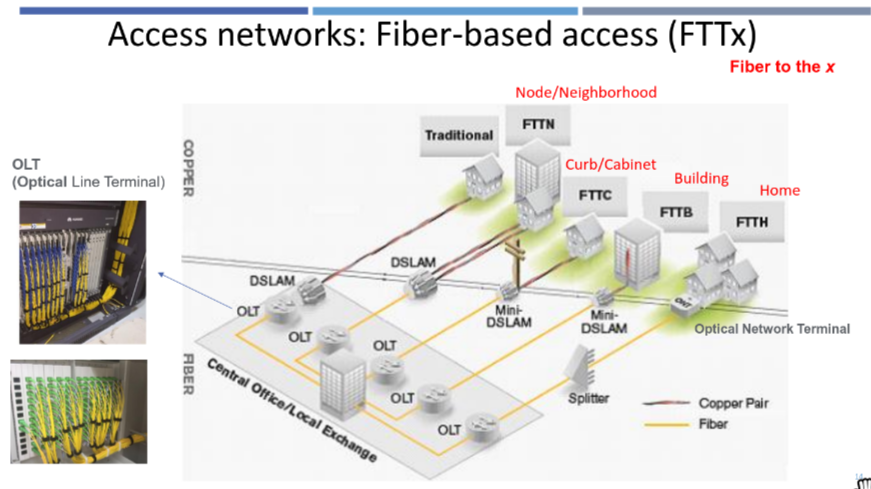
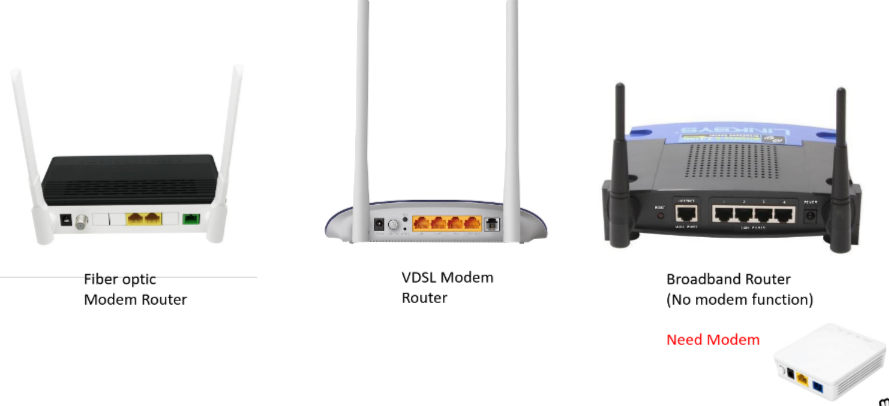
- fiber optic cables to deliver high-speed internet directly to homes or businesses.
- Optical Line Terminal (OLT) → Digital Subscriber Line Access Multiplexer (DSLAM) → user’s home
- Wireless/Mobile
- Wireless Local Area Networks(WiFi)
- Wide-area Cellular Access Networks (4G/5G cellular networks)
- Satellite Internet
- Star Link: Remove villages, in-flight WiFi
- Home Network
- Enterprise Network
- Companies, universities
- mix of wired, wireless link technologies, connecting a mix of switches and routers
- Data Center Internet
- High-bandwidth links connect thousands of serves together.
ISP
Summary
ISP
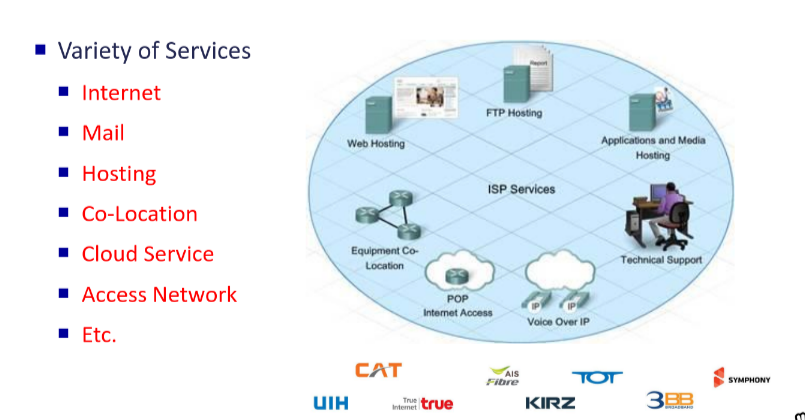
- Internet Service Provider
- Any home, business or organization that wants to connect to the Internet must use an ISP
- They provide the physical infrastructure (wires, satellites, or cell towers) to connect your home or office to their private network.
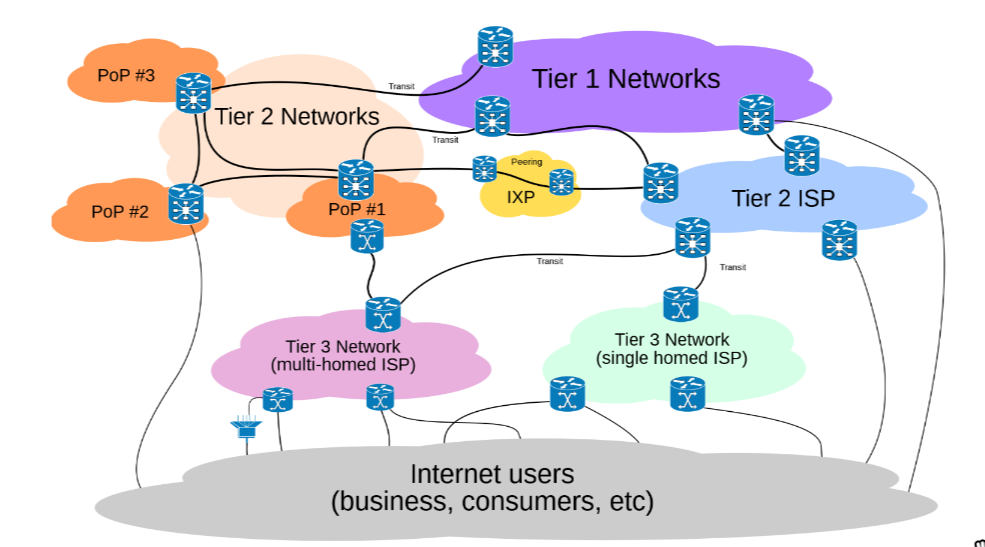
Tier 1 ISP Backbone Providers
- National/International coverage (e.g., AT&T, NTT). They own the deep backbone fibers and route traffic globally without paying fees.
Tier-2 National Providers
Note
Regional ISP in Geographic Role Tier-2 ISP in Peering/Transit Role
- Buy bandwidth from Tier-1 and provide service to regions by run Point of Presense (POP) across the counry.
- Purchases IP transit to reach some portion of the Internet from tier-1
Tier-3 Local Providers
Link to original
- The “last mile” providers that connect directly to your home or business.
- Purchases IP transit to reach Internet from tier-2